Timeouts and idle chats
Choose when idle chats close and how long Termul waits for an agent before it gives up.
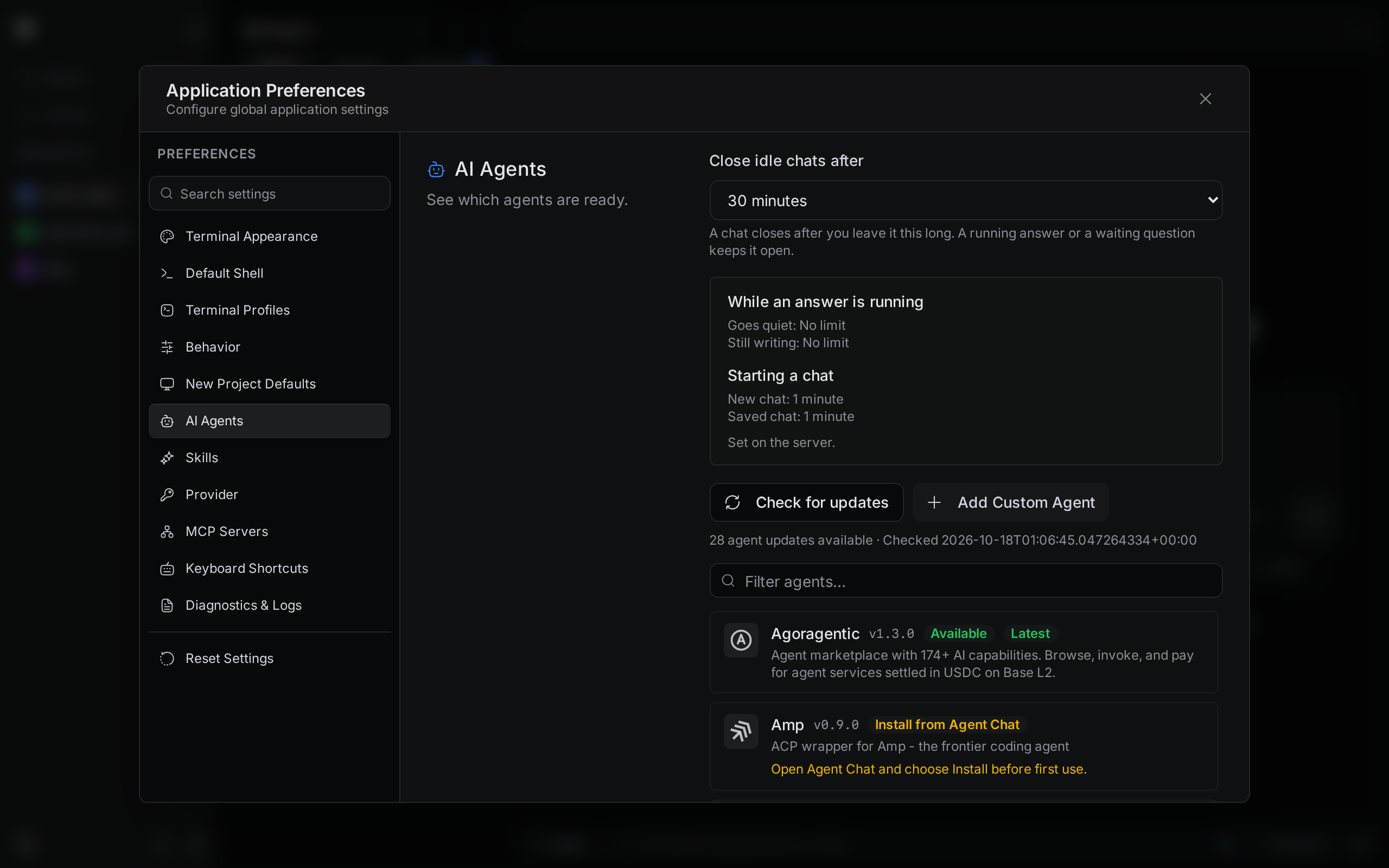
Each open chat keeps an agent running on your computer. Termul closes chats you have left alone, so idle agents do not use memory. It can also stop an answer that hangs. You set both in Settings > AI Agents.
Choose when idle chats close
- Open Settings with
Ctrl+,(Cmd+,on macOS) and click AI Agents. - In Close idle chats after, pick a time from 15 minutes to 24 hours. The default is 30 minutes.
A chat closes after you leave it for this long. A chat never closes while an answer is running, or while the agent waits for your answer to a question.
If the server was started with its own idle time, the page shows Using followed by that time from server setup. The server's time wins until the server restarts without that setup.
Set limits for answers and new chats
| Setting | What it does | Choices |
|---|---|---|
| If an answer goes quiet | Cancels an answer when the agent sends no update for this long. | No limit (default), 5 minutes to 1 hour |
| Longest one answer | Stops an answer that is still writing after this long. | No limit (default), 1 hour to 1 year |
| Start a new chat | How long Termul waits for the agent to start a new chat. | 30 seconds to 5 minutes. The default is 1 minute. |
| Open a saved chat | How long Termul waits for the agent to open a saved chat. A long chat can need more time. | 30 seconds to 5 minutes. The default is 1 minute. |
If a slow agent fails to start, raise Start a new chat or Open a saved chat.
Set the limits on a server
If you run the Termul server for the browser version, set the limits with environment variables before you start termul-server. Each value is a number of seconds.
| Environment variable | Setting it controls |
|---|---|
TERMUL_AGENT_IDLE_REAP_SECS | Close idle chats after. The --agent-idle-window-secs flag does the same. |
TERMUL_ACP_TURN_IDLE_TIMEOUT_SECS | If an answer goes quiet |
TERMUL_ACP_TURN_TIMEOUT_SECS | Longest one answer |
TERMUL_ACP_SESSION_NEW_TIMEOUT_SECS | Start a new chat |
TERMUL_ACP_SESSION_REOPEN_TIMEOUT_SECS | Open a saved chat |
These variables also work for the desktop app, and they win over the choices in Settings. For more about the server, see Browser and phone.