Troubleshooting
Report a problem
Find the Termul log, copy it, and report a bug on GitHub.
When something goes wrong, the Termul log usually shows why. Attach it to a bug report so the maintainers can find the cause.
Copy the log
- Open app settings with
Ctrl+,(Cmd+,on macOS,Alt+,in the browser version). - Select Diagnostics & Logs.
- Select Copy Log Contents.
The log is now on your clipboard. Paste it into your bug report. Read it first, and remove anything you do not want to share, such as folder names.
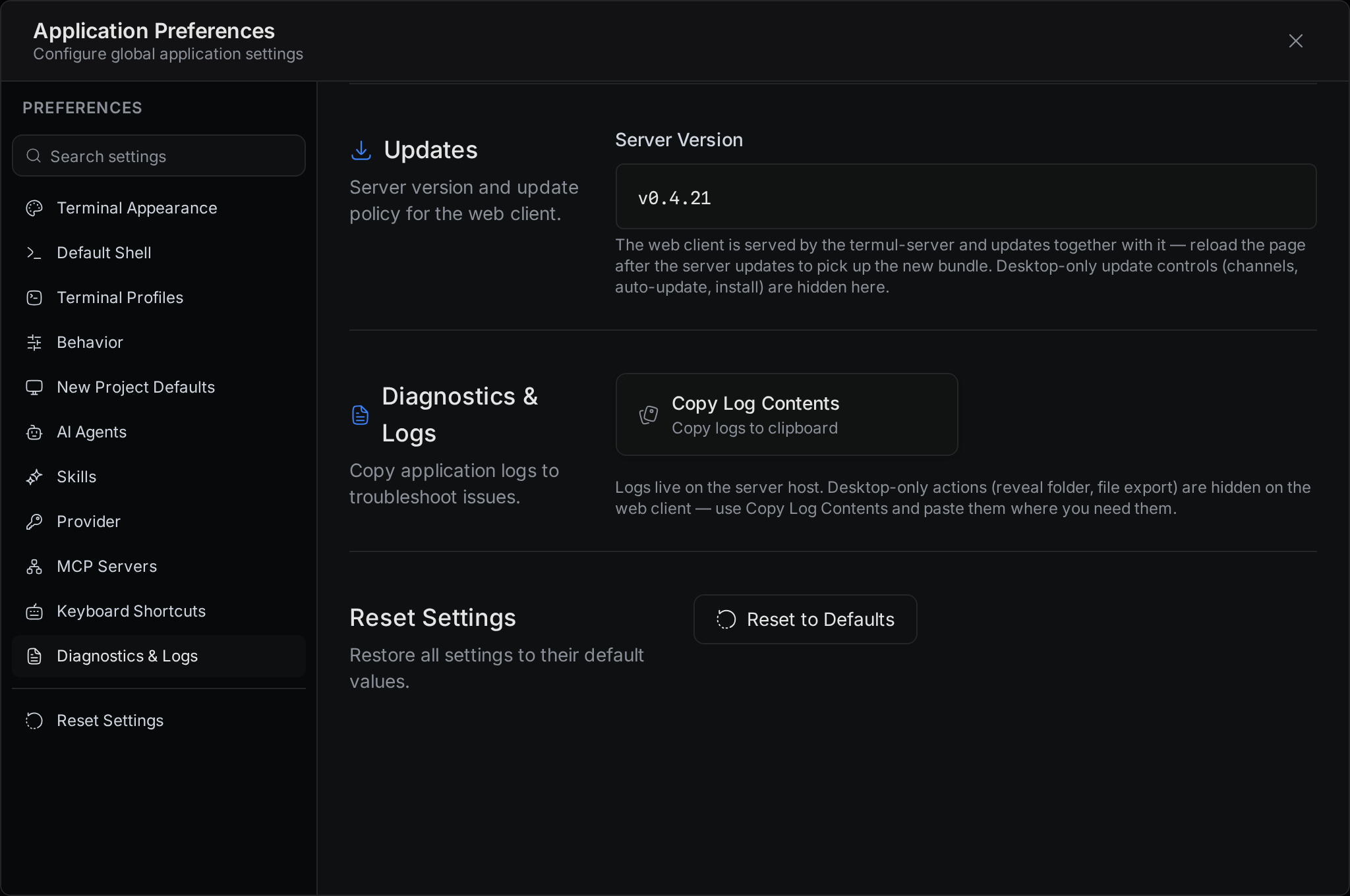
In the desktop app, the tab has more buttons:
- Reveal Log Folder opens the folder with the log file.
- Export Log File... saves a copy where you choose.
- Export to Default Directory saves
termul.login your Downloads folder.
On macOS, the Help menu has the same actions, for example Reveal Log File and Copy Log Contents.
In the browser version, the log is on the computer that runs the server. Copy Log Contents copies the server's log.
Find the log file
The desktop app writes its log to termul.log in this folder:
| System | Log file |
|---|---|
| Windows | %LOCALAPPDATA%\com.termul-manager.app\logs\termul.log |
| macOS | ~/Library/Logs/com.termul-manager.app/termul.log |
| Linux | ~/.local/share/com.termul-manager.app/logs/termul.log |
Find your version
A bug report needs the Termul version.
- In the desktop app, open Settings > Updates and read Current Version.
- In the browser version, open Settings and scroll down to Updates, above Diagnostics & Logs. Server Version shows the version of the server.
Report a bug on GitHub
- Search the open issues to see if someone reported the problem already.
- Open a new bug report and choose Bug Report.
- Fill in the form:
- Will you contribute a fix? tells the maintainers if you plan to send a fix.
- Bug Summary says what happened and what you expected.
- Steps to Reproduce lists the exact steps that cause the problem.
- Environment has your operating system, Termul version, Node.js version if an agent is involved, and how you installed Termul.
- Logs, Errors, or Screenshots is where you paste the log.
- Submit the issue.
For questions and ideas that are not bugs, use GitHub Discussions.